Equipment Tracker
Overview
The Equipment Tracker gives operations teams a focused view of equipment that is still out on jobs. It groups unreturned equipment by job and work site so dispatchers can see what needs to be returned before equipment is available for future work.
The tracker is different from the main Equipment section. Equipment records are where teams manage asset setup, documents, inspections, photos, and long-term history. The Equipment Tracker is where operations users review and return equipment in the context of active or recently completed jobs.
Tracker List
Use the tracker to scan equipment across jobs and work sites. Search by job number, work site, equipment category, or equipment description.
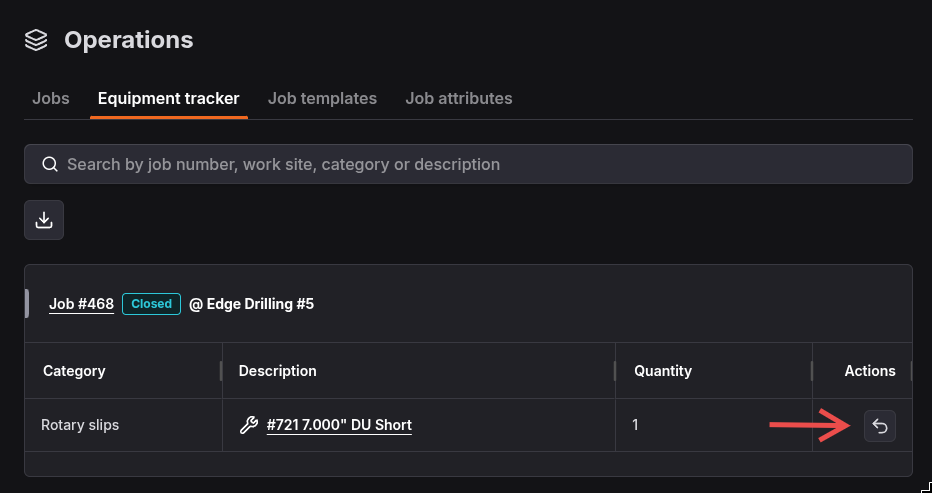
Each work site group shows the related job, job status, work site description, and equipment rows. Equipment rows include category, description, quantity, and a return action.
Common tracker actions include:
- Search for a specific job, work site, category, or equipment description.
- Open a related job to review the work the equipment is tied to.
- Open an equipment item record from the description link.
- Return equipment to the inventory by clicking the return action.
- Export the equipment list to CSV.
Return Equipment
If you have left equipment on a job, use the tracker to return it to inventory. Click the return action for the equipment row and confirm the return.
The return action will become enabled only when the job is in a closed status. If the return action is disabled, you must first complete the job closeout process before returning equipment.
For non-unique equipment, you can return a partial quantity. The tracker will show the remaining quantity still out on the job.